
What happened to Pocket
Mozilla shut Pocket down on July 8, 2025. It had been the default read-it-later app for years: you saved an article from the browser, it waited in a list, and its Listen button read it to you.
If you used Pocket to read on the screen, a reading app like Instapaper or Readwise Reader is the closest swap. If you used it to get through your list on the way to work, Luni is built for that.
Saving an article
- In Safari, or any app with a link, tap Share and pick Luni.
- Luni keeps the article and drops the menus, ads and “Read more” links.
- It lands in your library and in Up Next, ready to play.
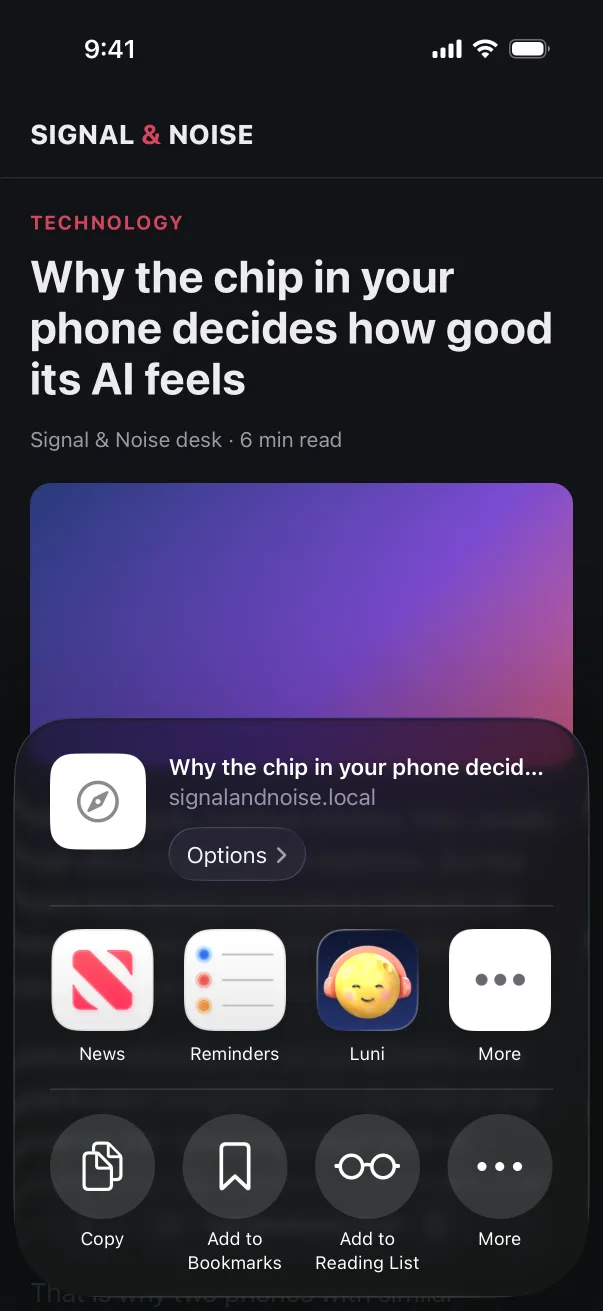
Luni saves the page as Safari shows it to you, so an article behind a login you already have comes through whole. PDFs, EPUB ebooks and pasted text go in the same list.
Listening to your list
- Press play once. Up Next plays your articles in order, on the lock screen and in the background, through your headphones or the car’s Bluetooth.
- Pick up where you stopped. Luni remembers your place in every article and highlights the sentence it’s reading.
- Works on a plane. The voices run on the iPhone, so a saved article plays with no signal.
- No minute limits. Luni Pro doesn’t count how much you listen.
- Your articles never leave your iPhone. There’s no account, and Luni doesn’t upload what you save.
Other apps that read articles aloud
Matter and Readwise Reader can also read your saved articles out loud, and both are good reading apps. The difference with Luni is where the voice runs: on your iPhone. So it plays offline, with no listening cap and nothing to sign up for.
Luni is iPhone-only for now. If you need your list on Android or in a web browser, it isn’t the right fit yet.